
Engaging and effective learning with interactive applications
Make maths clear, fun and easy to remember with 1000+ interactive applications, and growing. Start a lesson with one click, choose a subtopic and let your class explore along on their own laptop or tablet. Students do not need to sign up; they join with a code.
No payment details needed for the trial. Stop whenever you like.
Try everything for one month
- All applications, classroom and online lessons
- No payment details needed
- Stop whenever you like
Already a member? Log in
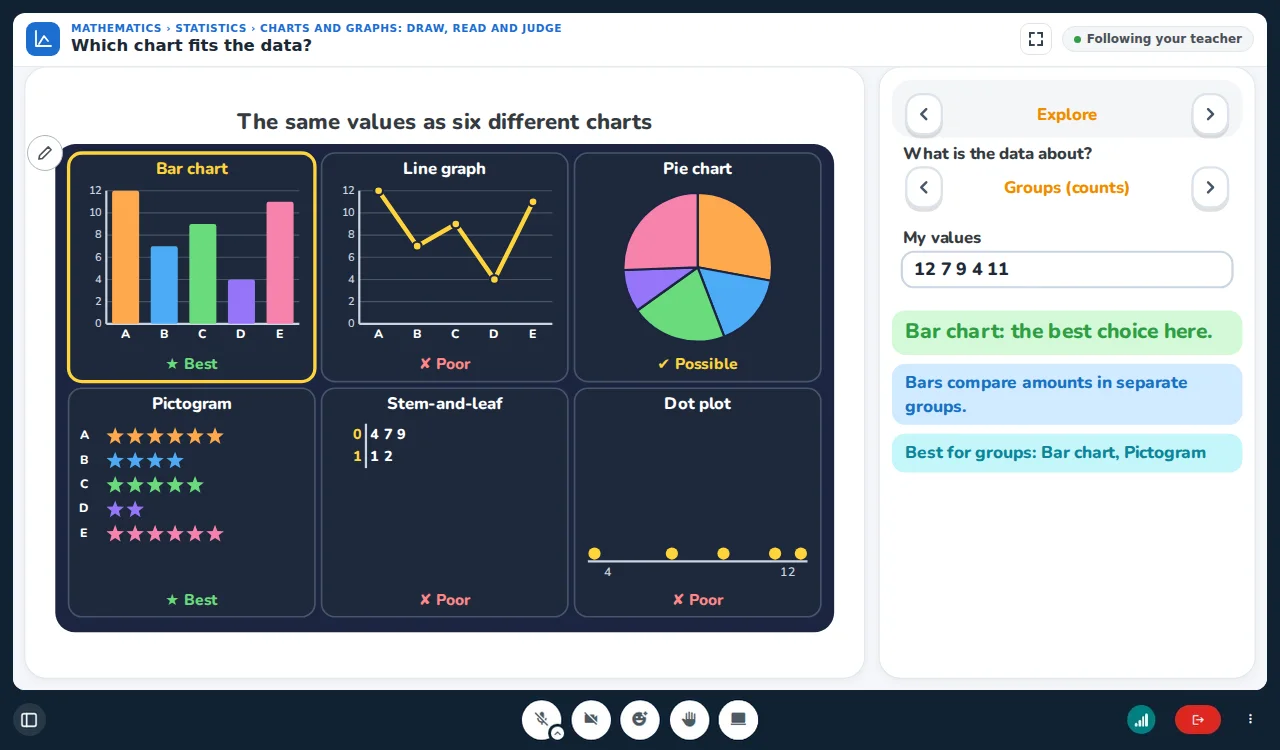
How do I start a lesson?
Your first lesson is ready in 5 minutes.
- 1
Create your class
Give your class a name and choose your own lesson colour.
- 2
Share the code
Students type the code or click the link and join the lesson.
- 3
Start the lesson
Touch maths together with your students.
What is an application?
What do we mean by an application? What parts does an application consist of?
Explanation and practice
Lecture notes, examples, exercises with solutions, learning goals and a user guide.
Worksheets for the application Coming soon
Worksheets made for the application that guide the student step by step.
Sections to work through
Explore, Predict first, Now you try, Challenge and Time to compete.
An advanced smart board solution
A digital whiteboard designed especially for teachers
1000+ interactive applications, two modes
The teacher shows, or the students explore.
All topics are ready
Lecture notes, examples and exercises solved on the whiteboard, for all topics.
One click to an application, one click back
Open an interactive application, return to your own lecture notes and continue the lesson.
Tabs and pages on the whiteboard
Open as many tabs as you like on the whiteboard, add pages and save any tab as a PDF.
Your own lecture notes
Add your own lecture notes as a PDF to the lesson, write on them, add pages, and save, download and share them at the end of the lesson.
Share your screen
Show your students an application on your computer or an educational video by sharing your screen.
Copy and paste everywhere
Copy and paste works on everything on the whiteboard, between pages and tabs.
Flawless full screen
Go full screen and the whole lesson fills the display: the whiteboard, the applications and your notes.
Students take part when you allow it
A student can use the whiteboard in the lesson, but only when you give permission.
A taste of the applications
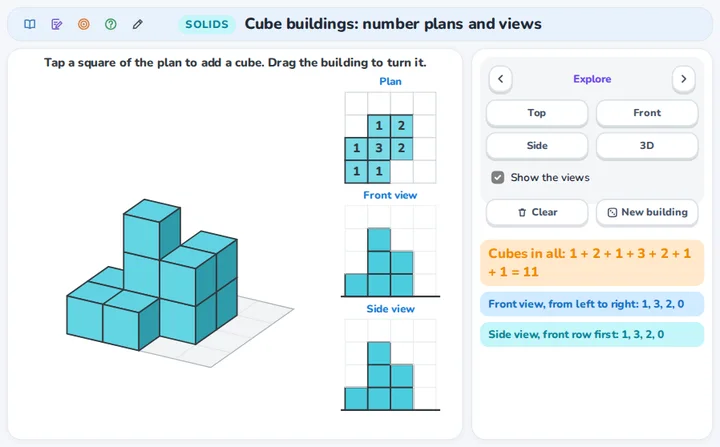
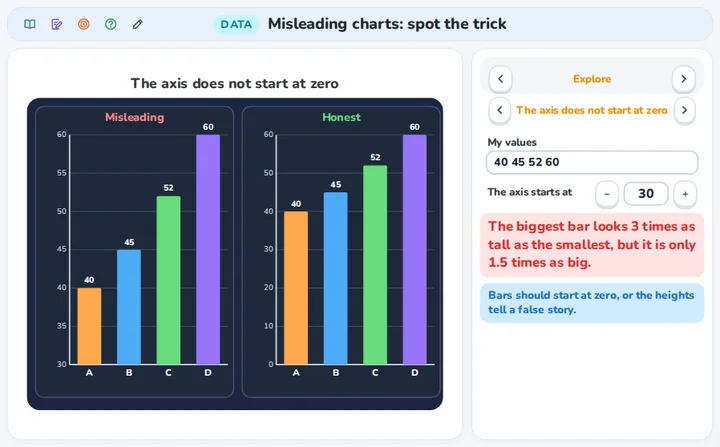
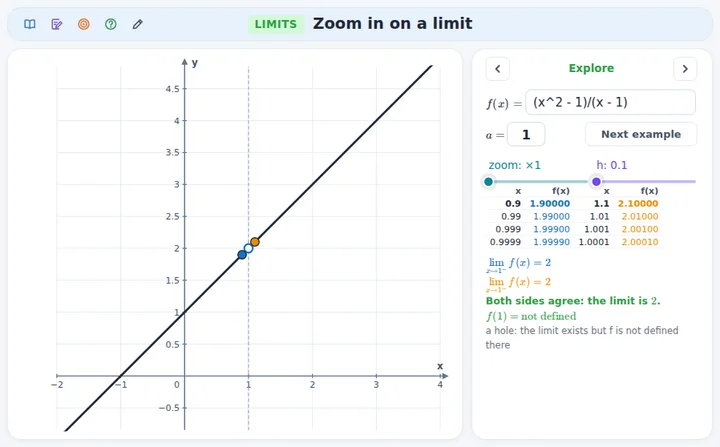
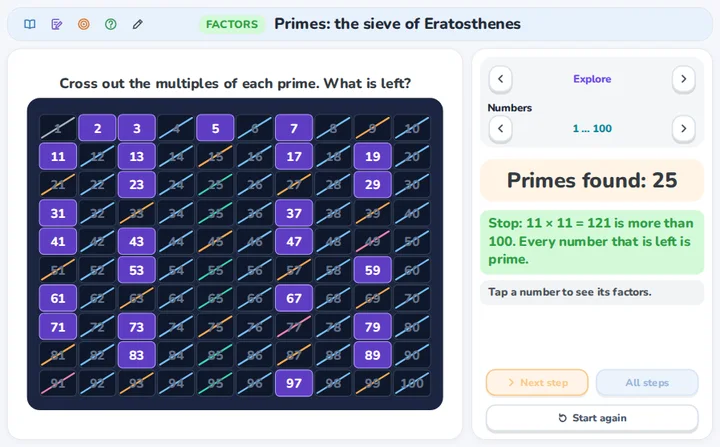
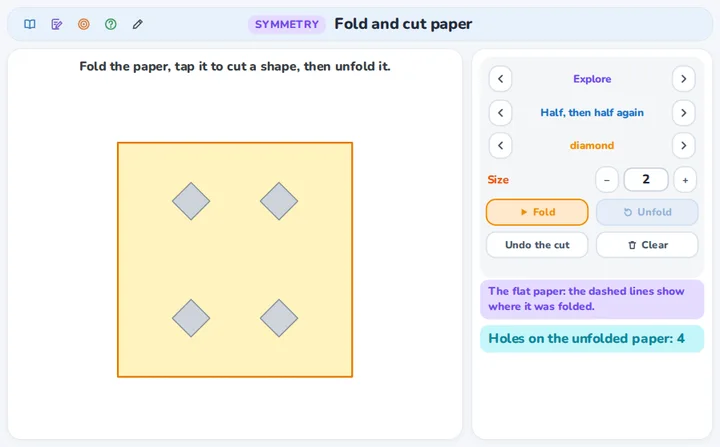
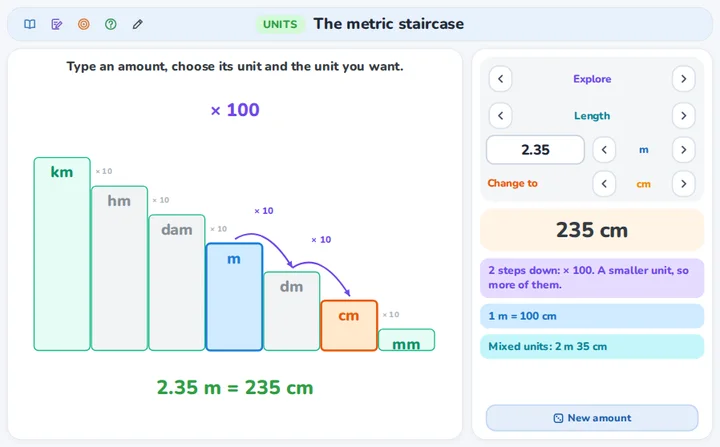
Every application is the real thing: students change the numbers, drag the points and check their own answers.
Invite a colleague, both of you gain
Every teacher has a personal link. A colleague who uses it gets 14 extra trial days, and you get 1 free month(s) when they become a paying teacher.
Does your school want a licence? Recommend it: you get 3 free months once the school has paid its first invoice, and the school gets 10% off the first year.
Questions teachers ask
How do my students join?
They open the class link, or go to interaktifdersler.tr and type the class code. Then they type their name. They do not need an account or an email address.
What is the difference between a classroom lesson and an online lesson?
You choose it per class. In a classroom lesson everybody is in the same room: nobody uses sound or a camera (thirty laptops playing the same sound would echo), students follow the application on their own screen. In an online lesson you and your students are at home: everybody joins with sound, and cameras can be turned on.
Which data do you keep about students?
Nothing that tells who they are. In a lesson students have no accounts, the name a student types is only used during the lesson, and lessons are not recorded. If you make personal links, we keep the names you typed until you delete them. (A student who practises at home may choose a free account, which a parent confirms; that is separate from your lessons.)
Which subscription do I need?
All subscriptions have all applications and unlimited lessons. You choose what you give: classroom lessons, online lessons with up to 2, 5 and 10 students at the same time, or both. You can go up at any time; you pay the difference for the rest of the period.